
Windows · macOS · Linux
Secure CD ripping and archiving
OpenAudioCopy is a secure CD ripper for preserving audio CD collections. Save your discs as lossless WAV or FLAC files, with AccurateRip verification and an extraction log for each disc.
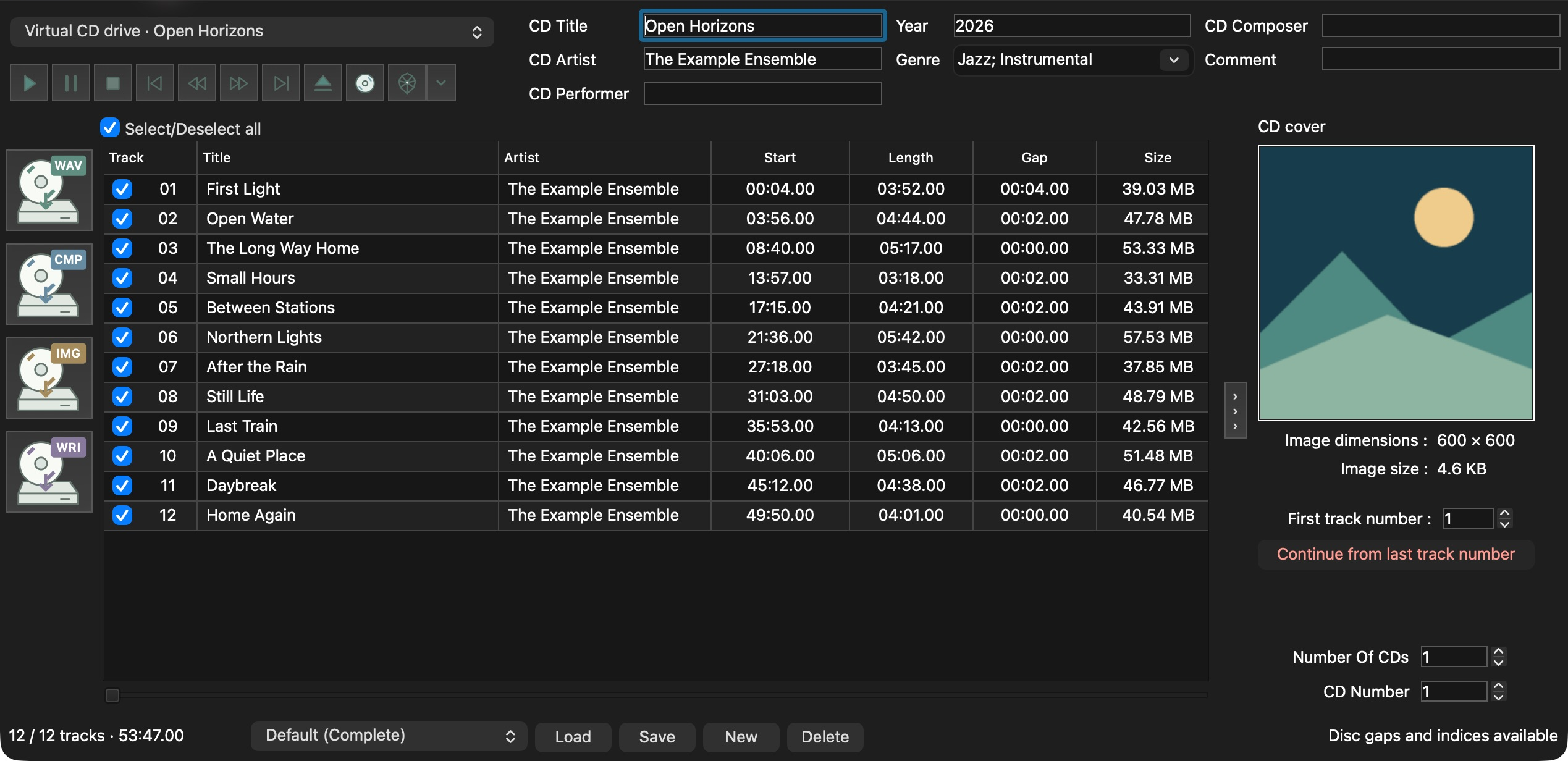
Archiving with OpenAudioCopy
Section titled “Archiving with OpenAudioCopy”Secure reading
Secure mode compares repeated reads and retries sections that disagree. The extraction log records read errors and recovery results.
Secure reading and error recoveryAccurateRip verification
Compare your tracks with AccurateRip records for the same CD. The extraction log includes each track’s result and confidence count.
How AccurateRip results are checkedAlbum information and artwork
Find album names, track titles, and artwork through MusicBrainz. Edit the information and save it in your FLAC tags.
Album information and cover imagesTrack files and disc images
Save WAV or FLAC tracks, or a full audio image with a CUE sheet. Choose where pregaps and hidden audio are saved.
Track files, disc images, and gapsUsing OpenAudioCopy
Section titled “Using OpenAudioCopy”- Set up your driveDetect read features and set the offset correction.
- Rip your first CDChoose tracks, review album information, and save the audio.
- Read the resultsCheck the extraction report and AccurateRip results.
Bring your EAC settings and album library into OpenAudioCopy with Profiles and EAC import.