
Secure and burst reading
Choose the reading method under OAC → Drive Options → Extraction Method. Secure compares repeated reads and retries difficult sections. Burst copies the audio in one pass. Both methods support AccurateRip.
Complete drive setup before using Secure.
Swipe to see the full image
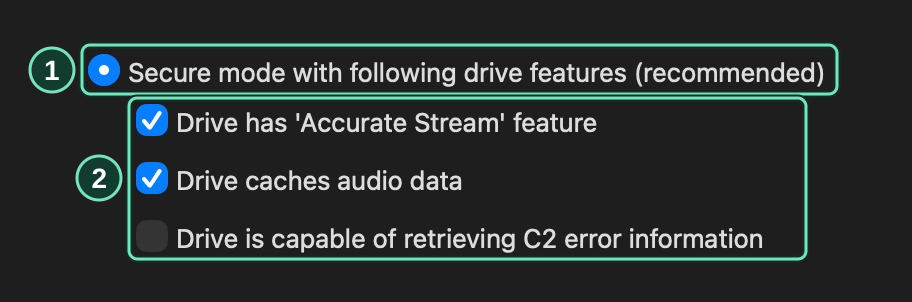
OAC → Drive Options → Extraction Method
- Select Secure for repeated read comparisons.
- Run drive-feature detection to set these options.
Choose a recovery quality
Section titled “Choose a recovery quality”Set Error recovery quality under OAC → OAC Options → Extraction to choose the retry limit.
Swipe to see the full image
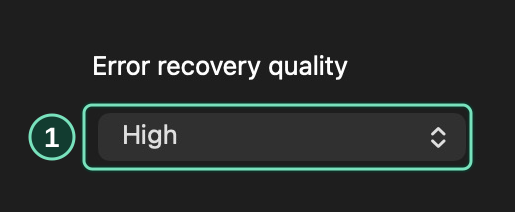
OAC → OAC Options → Extraction
- Higher recovery quality allows more attempts on difficult sections.
| Setting | Maximum attempts per reading block |
|---|---|
| Low | 16 |
| Medium | 32 |
| High | 64 |
Higher settings spend more time rereading damaged sections.
If too few reads agree at the retry limit, the track fails. The report lists the affected section.
Read comparison and recovery
Section titled “Read comparison and recovery”Secure mode first compares two reads of a section. If they match and the drive reports no errors, it continues. Differences, incomplete reads, or uncertain read positions trigger further attempts.
One letter = one stereo sample frame.
During recovery, OpenAudioCopy checks for agreement every 16 attempts. Each stereo sample frame needs at least six matching, error-free reads and a majority of the reads counted at that position.
A, B, and C are different sample values.
Audio caching
Section titled “Audio caching”A drive’s cache holds recently read audio in memory. If the drive returns that stored audio on a second request, an error in the original read will be repeated too.
Leave Cache handling on Auto. OpenAudioCopy uses the detected settings to replace cached audio before comparing reads. If detection is Inconclusive, repeat it with another CD.
Accurate stream
Section titled “Accurate stream”An accurate-stream drive returns audio at consistent positions when the same section is requested again. For other drives, or when detection is inconclusive, OpenAudioCopy compares overlapping audio to line up the reads.
C2 error pointers
Section titled “C2 error pointers”C2 pointers mark samples the drive had trouble reading. With C2 enabled, OpenAudioCopy leaves those samples out of the comparison and looks for matches in other reads.
Leave Use C2 pointers on Auto to use the detected setting. C2 testing needs a disc with read errors.
Read the recovery result
Section titled “Read the recovery result”The report lists read errors and recovery attempts by track and position. See Read the results for the status messages and retry advice.